
Training guide

Delivery Of Vials

Back to training

Check replacement vial deliveries and record their receipt in BnTRx so the clinic's stock levels remain accurate.

Check the delivery

When replacement vials arrive, compare the delivery with the clinic's outstanding orders.

  1. 1

    Confirm the medication and vial quantities received.

  2. 2

    Confirm that the delivery is for the correct doctor.

  3. 3

    Identify any missing, additional, or incorrect vials before updating BnTRx.

  4. 4

    Keep the delivery information available while completing reconciliation.

If the delivery does not match the clinic's outstanding orders, contact HPS before marking the affected orders as received.
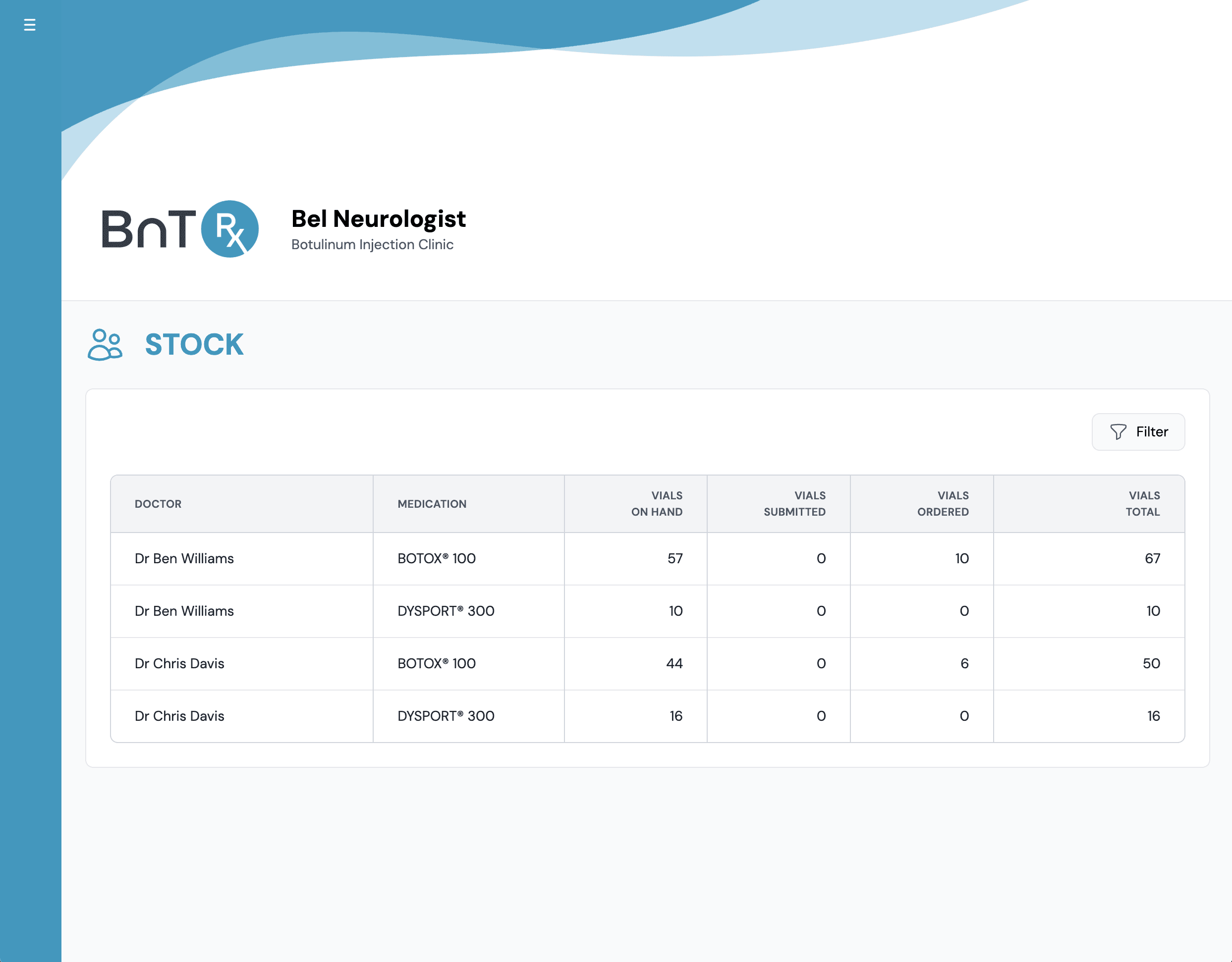
Find the outstanding orders

  1. 1

    Open the Stock tab.

  2. 2

    Find the row for the relevant doctor and medication.

  3. 3

    Select the row to open Reconcile Orders.

  4. 4

    Review the outstanding orders and total vial quantity.

Only reconcile the orders represented by the physical delivery.

Stock tab showing vial counts by doctor and medication

Record the delivery

Use Reconcile Orders to mark the delivered vials as received. You can reconcile a complete delivery or select only the orders included in a partial delivery. For detailed checkbox, batch number, and partial-delivery instructions, follow the Receive and Reconcile Orders training module.

Confirm the stock update

After reconciliation, confirm the following results.

  • The selected orders change from Ordered to Received.
  • The received quantity moves from Ordered with HPS to Vials on Hand.
  • The Stock table updates automatically.
  • Orders that were not part of the delivery remain outstanding.

Check the updated Vials on Hand total against the physical stock in the clinic fridge.