Treatment history
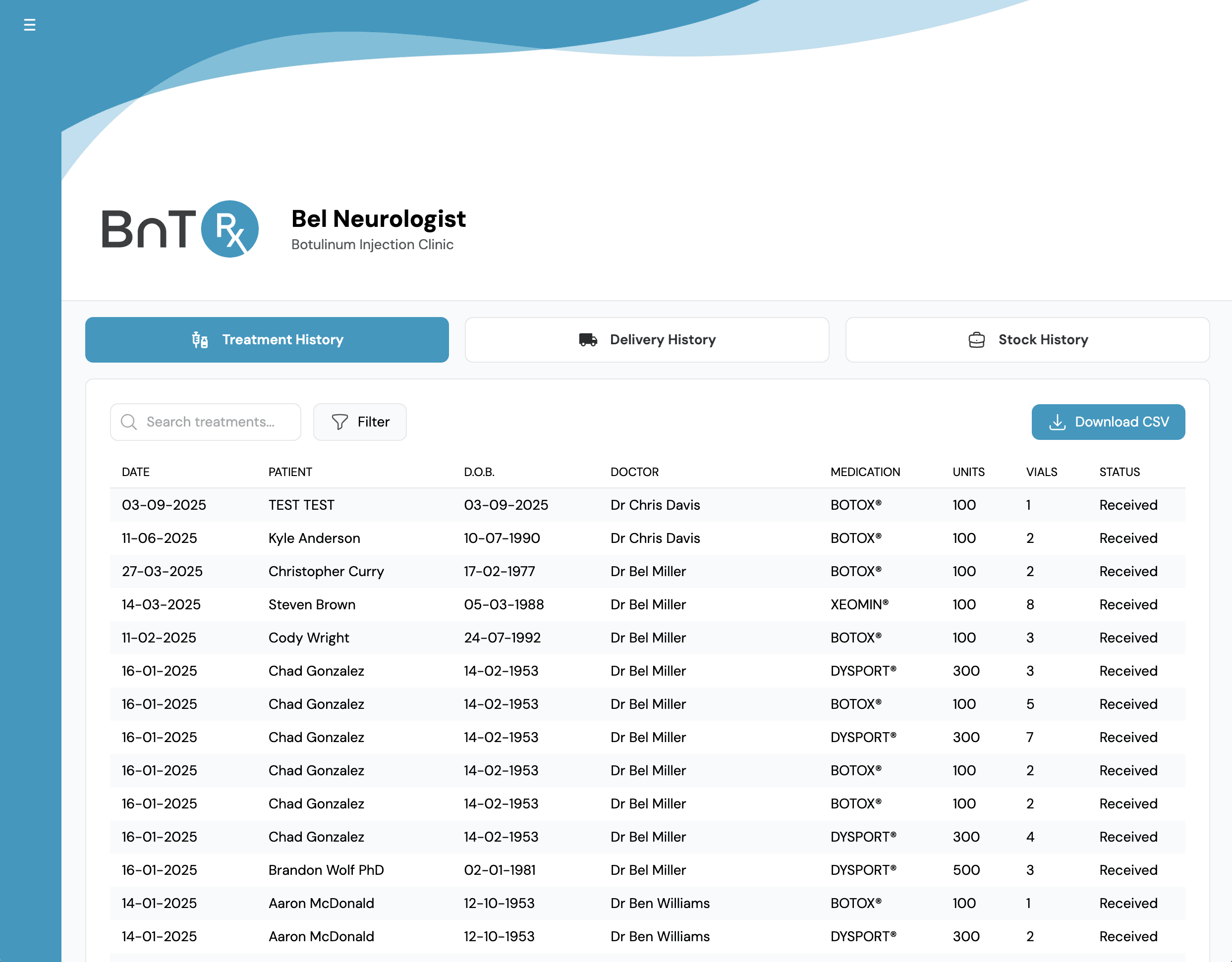
BnTRx maintains a complete, automated history of all treatments and deliveries. Open the Log tab to see Treatment History by default, showing orders with a Received status.

Training guide
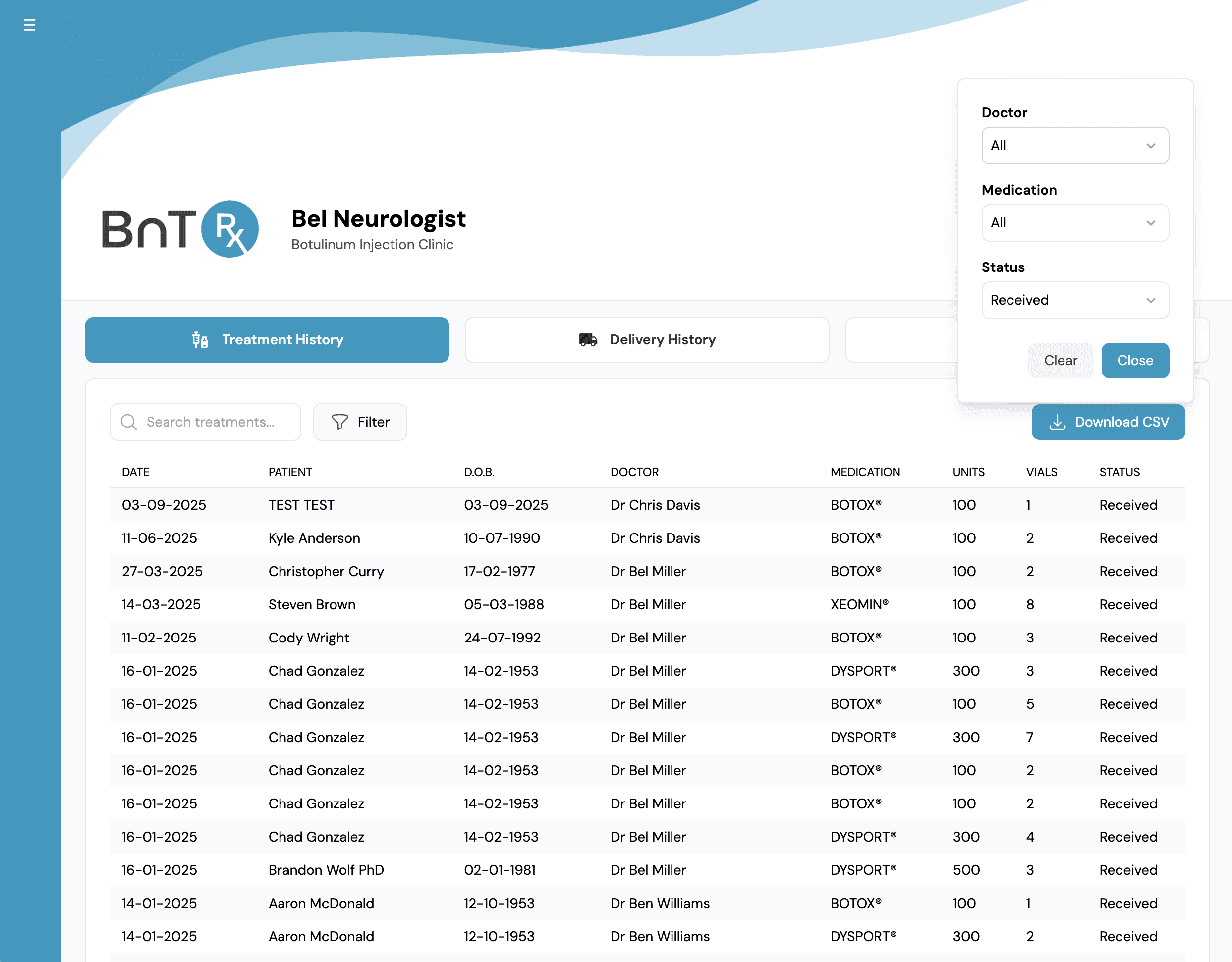
Use the Log tab to review treatment history and delivery records, with filters for status, doctor, and medication.
BnTRx maintains a complete, automated history of all treatments and deliveries. Open the Log tab to see Treatment History by default, showing orders with a Received status.
Use filters and search to find specific records quickly.
Switch to the Delivery History tab to review completed deliveries. The delivery view shows each delivery in a clear table format with date, vial count, and other key details. You can move between Treatment History and Delivery History without leaving the Log tab.