
Training module

Edit and Delete Registered Patients

Back to training

Update patient demographics and safely remove records that should no longer stay active.

Find and open patient record

  1. 1

    Open Patient tab and search by patient name or mobile number.

  2. 2

    Select patient from results to open Patient Details dialogue.

  3. 3

    If patient is on Today's Clinic List, open Clinic tab and select the patient row to access the same details.
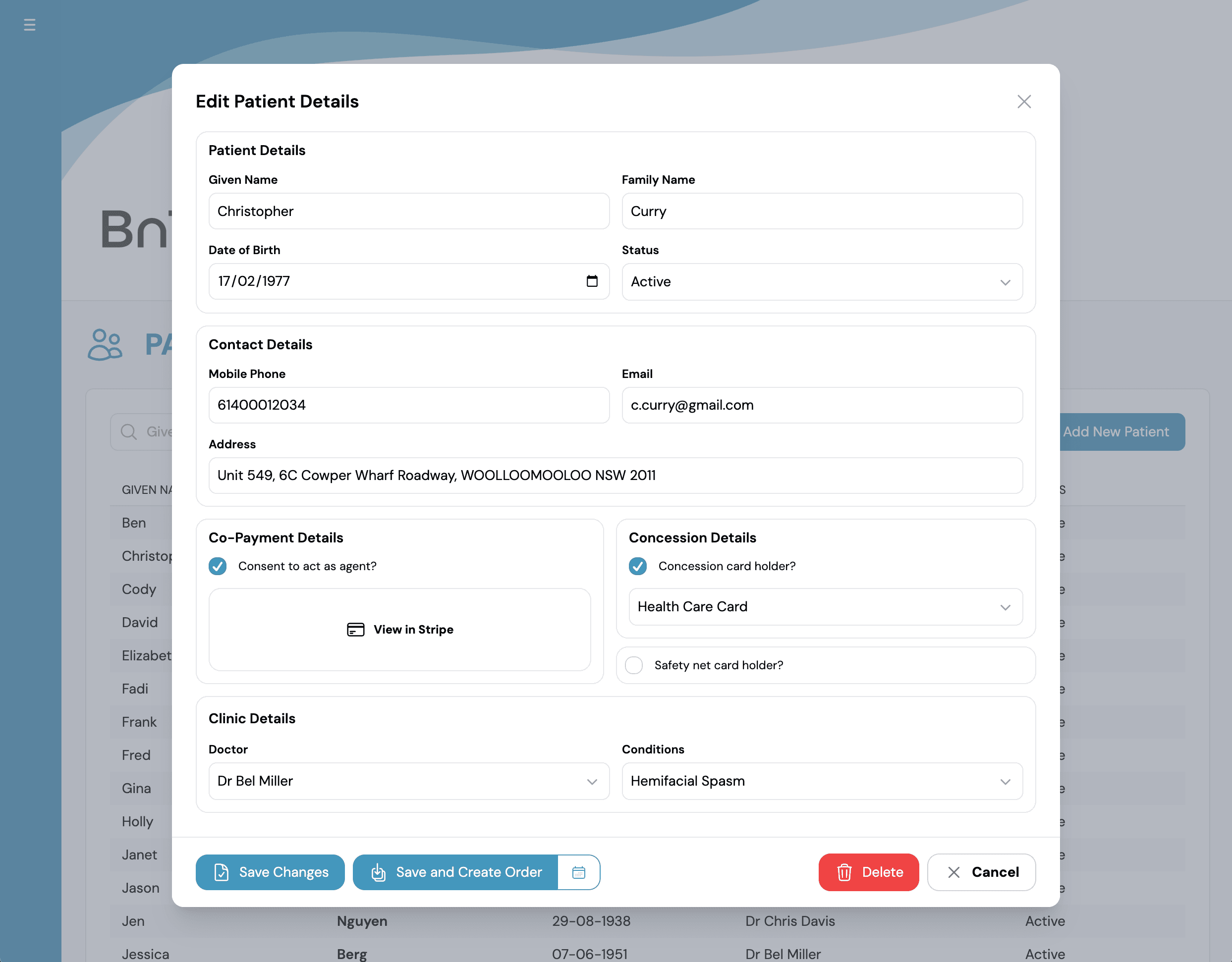
Edit Patient Details dialog

Update or remove record

  1. 1

    Edit fields such as name, date of birth, contact details, concession, and SafetyNet status.

  2. 2

    Update Doctor and Condition assignments where needed.

  3. 3

    Select Save Changes to apply updates.

  4. 4

    If record should be removed, select Delete and confirm action.